So you want to make some zines and you’re thinking of using your free Canva account. This article explains how i make my zines using Canva (and some things i wish i’d known earlier).
Making Your Zine on Canva (Free)
Step 1: Open Canva
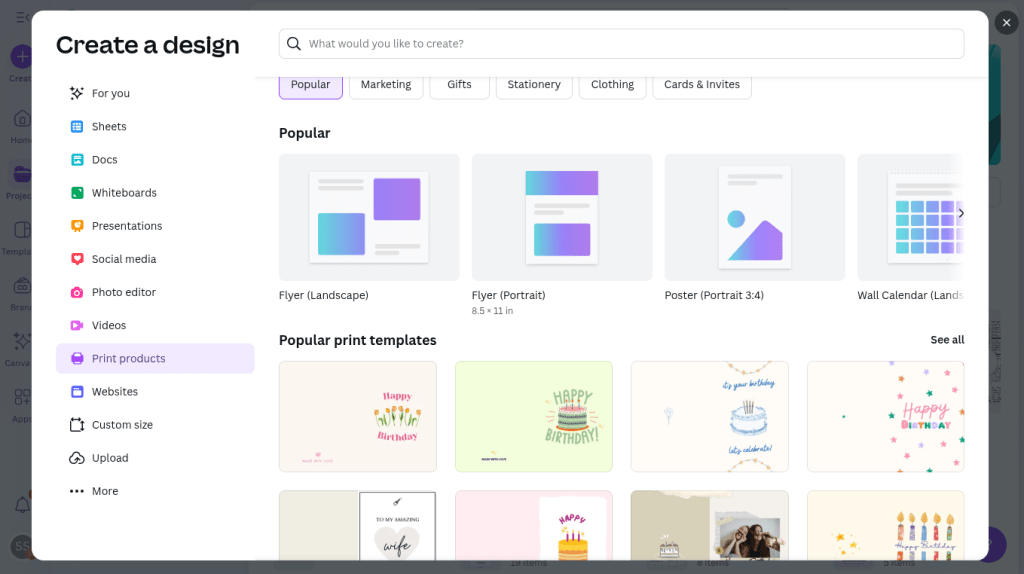
Open Canva to create a new project. Choose something that’s 11 inches by 8.5 inches, a standard size sheet of horizontal paper. i normally use Flyer (Landscape) 11 inches x 8.5 inches.
Step 2: Use Guides and Rulers
Do not skip this step before you get started on designing your zine! This is one of those tips i wish i had known about when i started using Canva to make zines and has made my life easier.
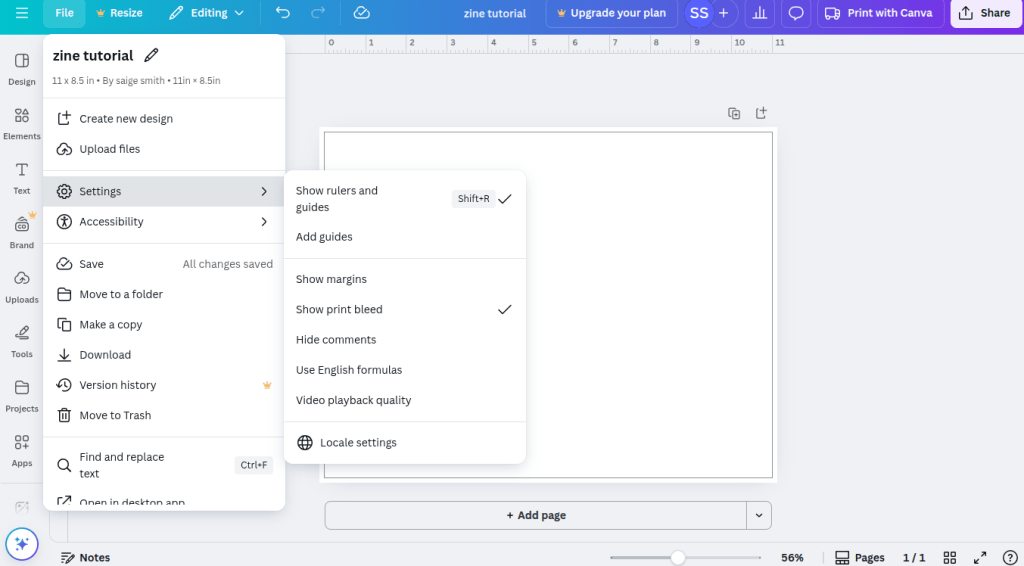
The first thing you’ll want to do once you get the page open is go to file, settings, and turn on ‘Show Rulers and Guides‘ and ‘Show Print Bleed‘ (see image below). Enabling ‘Show Rulers and Guides‘ will let you see the guidelines once they get turned on in the next part of this step. Enabling the ‘Show Print Bleed‘ will let you know how far to the edge of the paper you can get.
Next, you’ll want to ‘Add Guides‘ and click ‘Custom‘ (see image below).
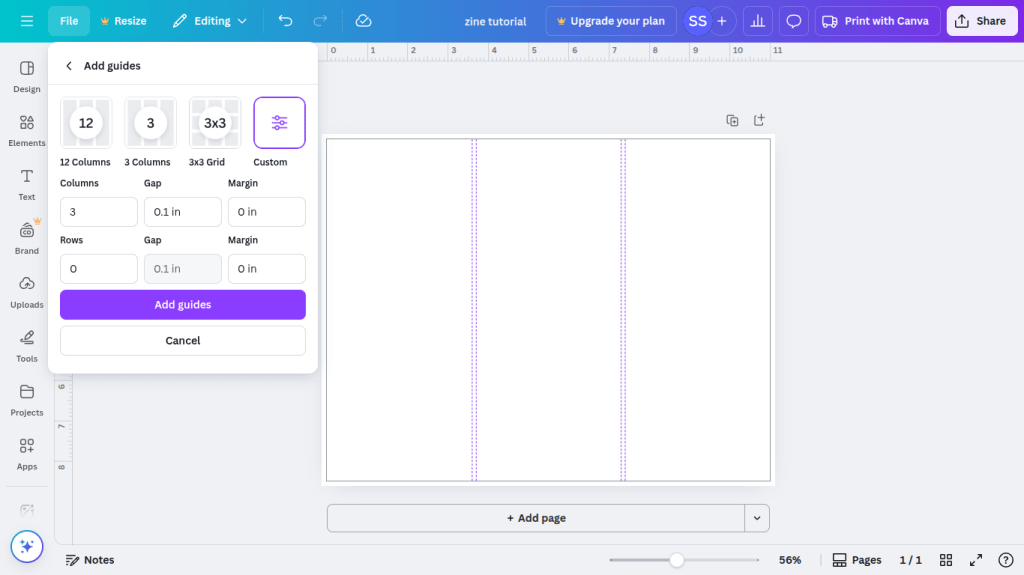
Now it’s time to set the guides up for the zine. You’re going to create 4 columns and 2 rows, both with a 0.1 Gap and 0 Margin (see image below). These will be the pages for your zine and give a small border where the cut is made in the page once it’s folded.
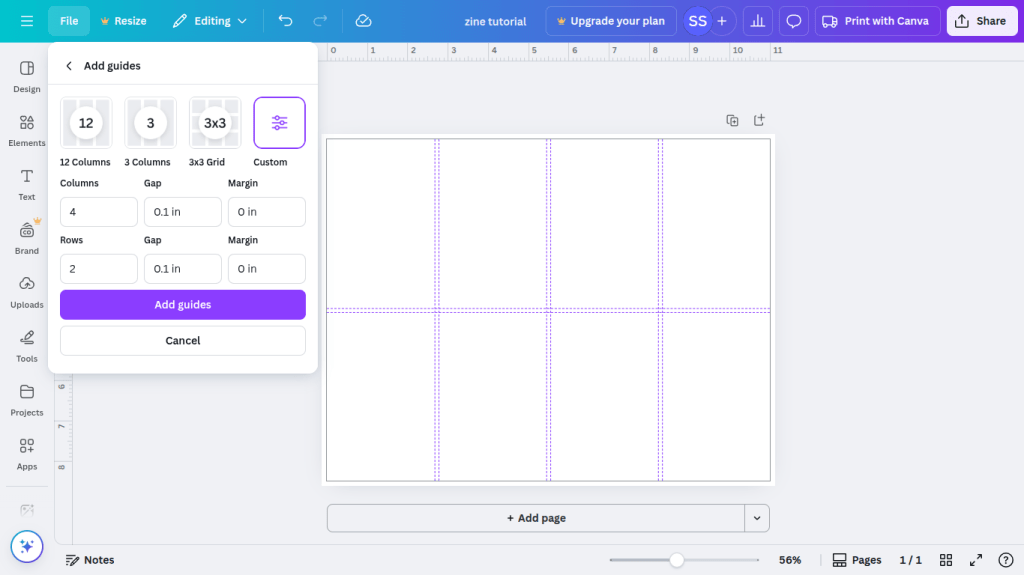
Click Add Guides and you’re set to start making your zine. Have fun creating your zine without worrying if your pages are aligned!
Step 3: Make Your Zine!
This is what the layout should look like:
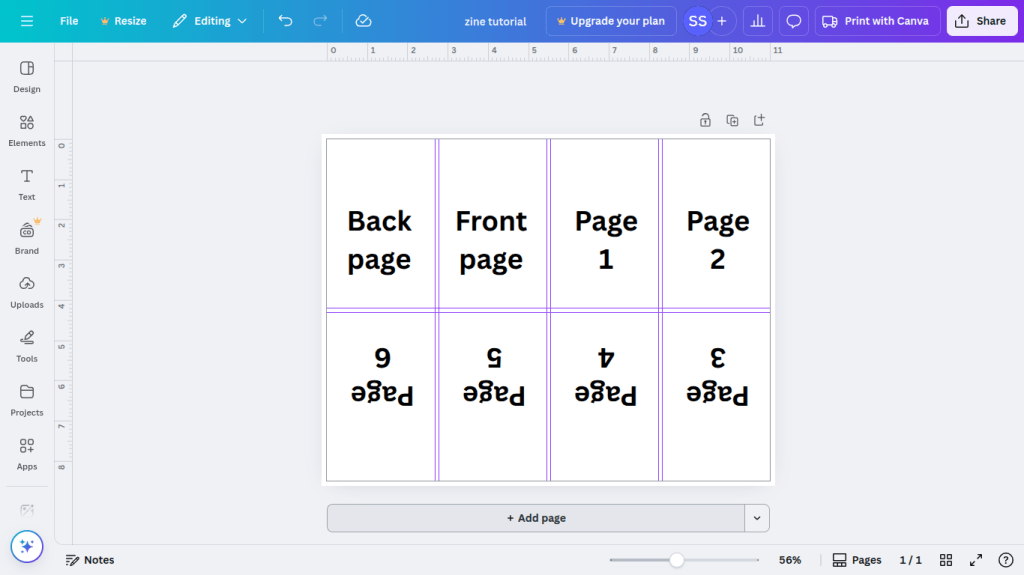
i’m sure you have an idea for what you want your zine to look like so here are some ideas you can try with a free Canva account for your zine:
- Printing: Canva offers printing services for the landscape flyer (or print products in general on Canva). As a rule of thumb black and white is typically cheaper to print than in color. I often use my local library for affordable printing – some libraries might even have free printing services!
- Fonts and sizes for text: Signika 10.5, One Little Font 10.5, Sanchez 9.5, Arimo 9, Canva Sans 10
- Fonts and sizes for headers: Cubao Narrow 16, Bobby Jones Soft 18, Berthold Block 15
- For a fun title page or headers, go to elements, look up ‘magazine letter’ to give it a magazine cut out look. There’s at least 1 free letter option for each letter, some you can even change the colors
- To make a reversible zine feel free to hit download below. If you want it in a different color, it was easy to make in Canva with lines (you can quickly make lines in Canva by typing the letter ‘L’).
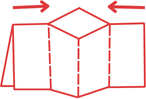
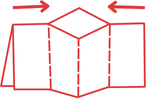
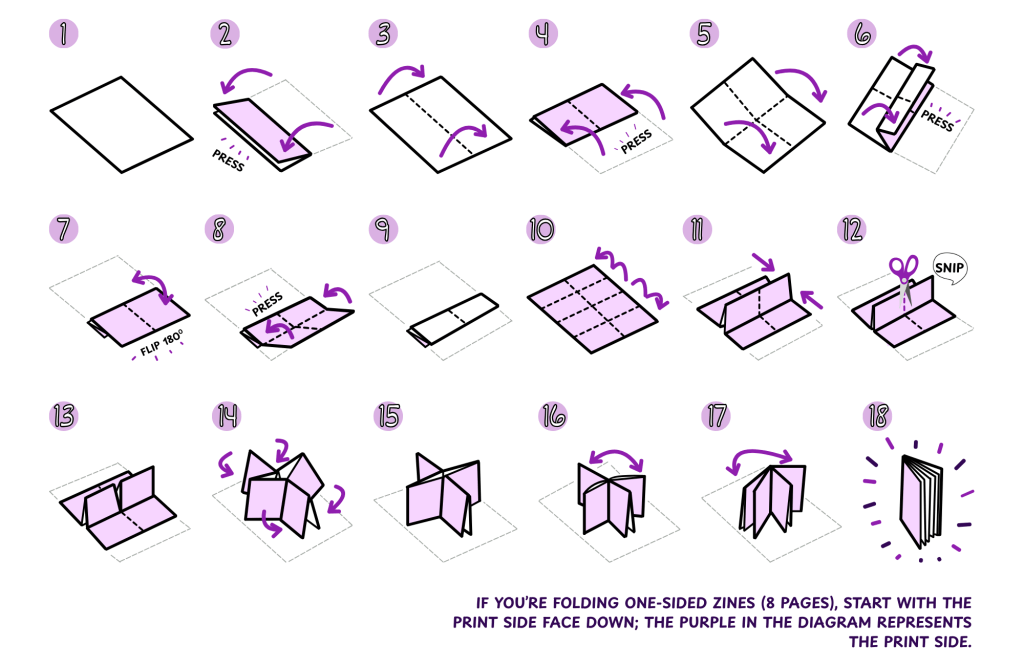
- Here are 2 easy-to-follow guides for how to fold your zine. If it’s one-sided you’ll want to start with the blank side facing up
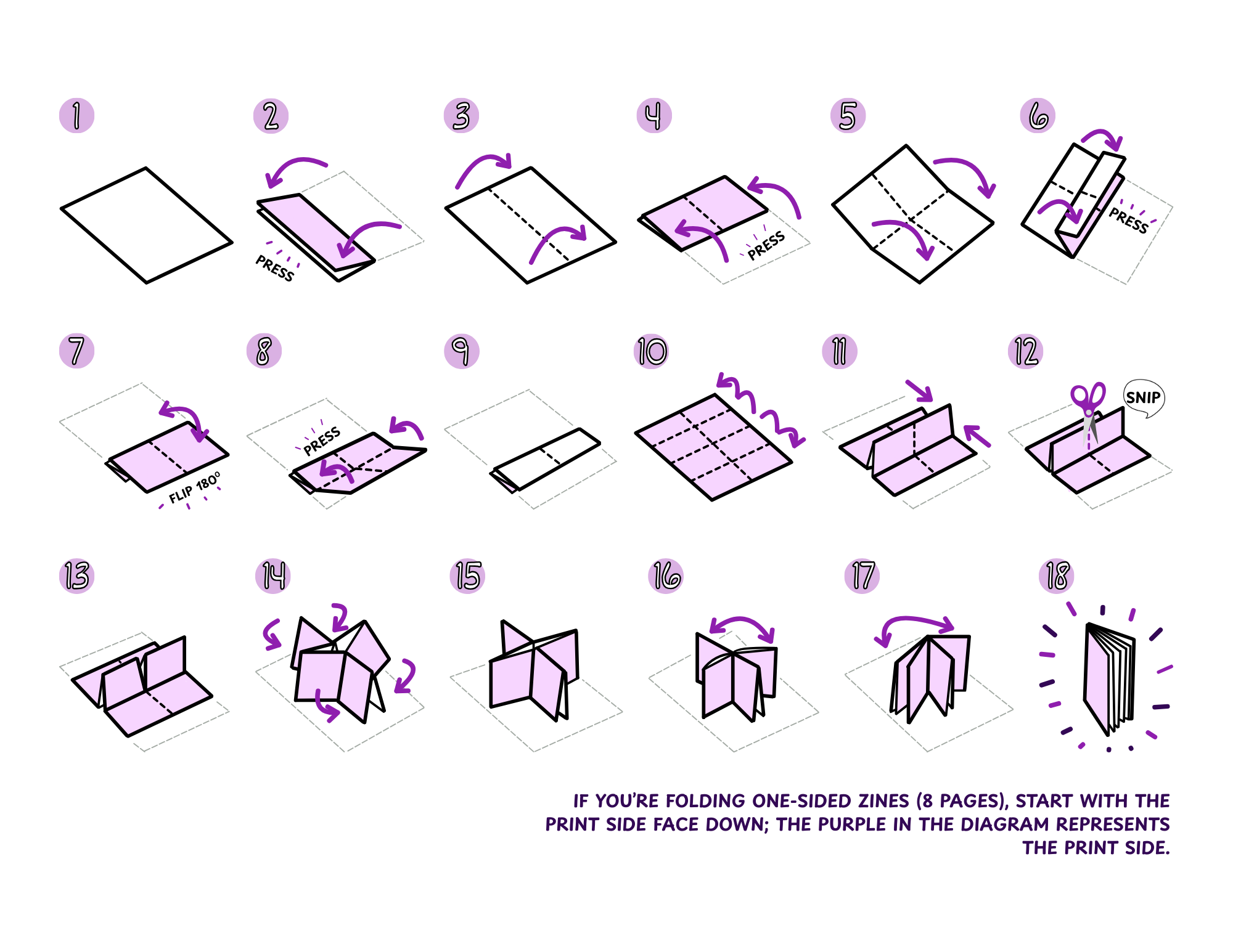
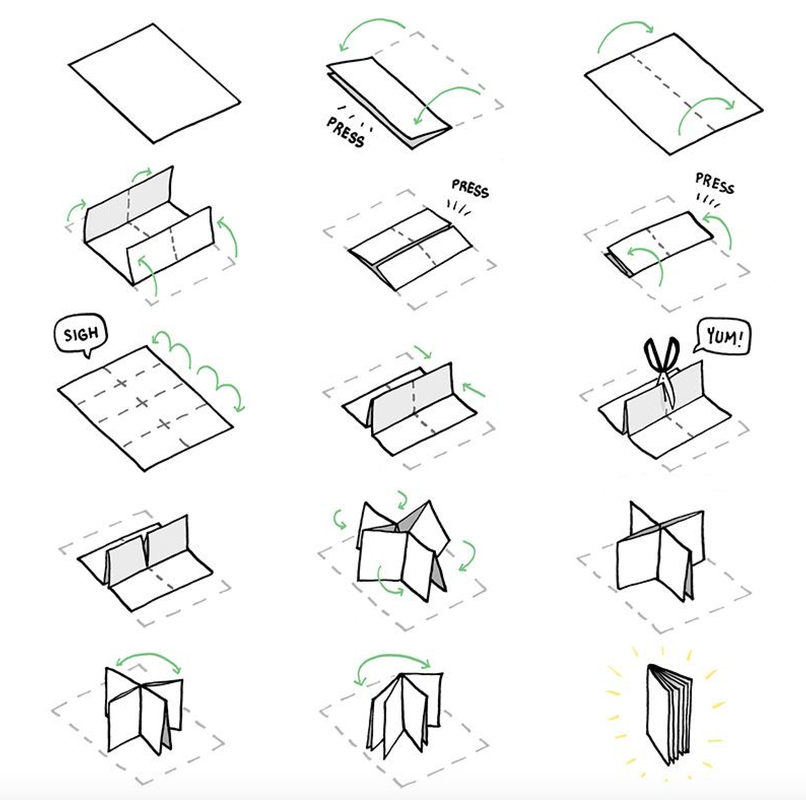
Have fun creating!!
Discover more from Craftivist The Activist
Subscribe to get the latest posts sent to your email.
 Craftivist The Activist